
Can I update it myself? What 'easy to edit' really means
Every studio says its sites are easy to edit. Here is what we mean by it, what we hand over, and five tests you can run on any site before you sign.
Paftane studio
“Can I update it myself?” is one of the first questions we hear, and the honest answer is: it depends on what “it” is. Changing a sentence and changing how a page works are different jobs. A good site makes the first one boring and keeps the second one safe.
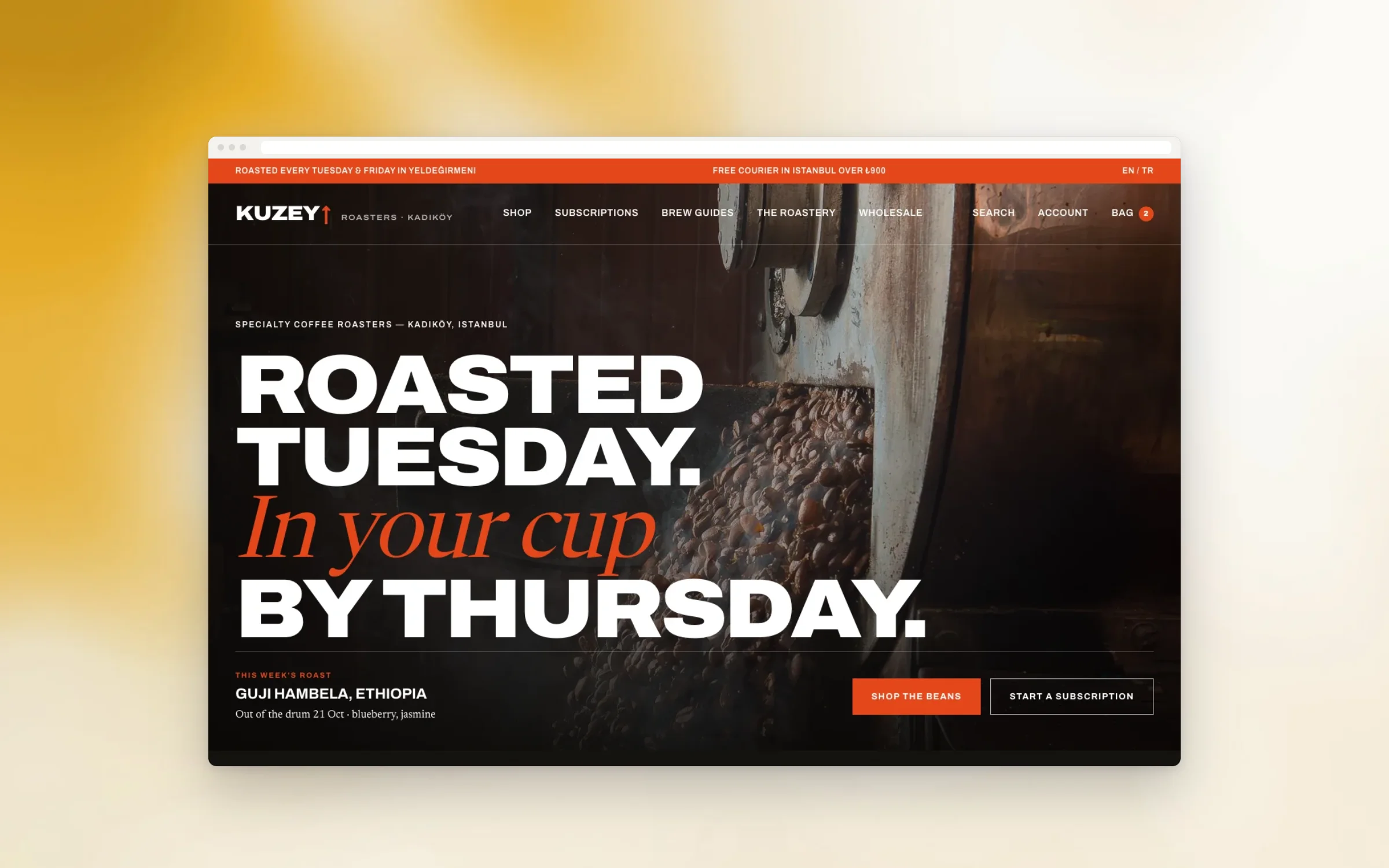
Our answer is yes for everything you change week to week. Here is what that covers, how we hand it over, and where a developer still earns their keep. The example is Kuzey Roasters, a neighbourhood roastery that sells four coffees at a time from its own online shop.
What you can change on your own
Easy to edit means everyday changes without asking anyone and without breaking the layout. On every site we build, that includes:
- Text. Headlines, paragraphs, opening hours. You edit it where it sits, and see it as visitors will.
- Images. You upload a photograph and it is resized, compressed and cropped for every screen.
- Pages. You can add a page from the templates we built for you, such as a new project, a new location or a new campaign, and it already looks like the rest of the site.
- Products. In a shop, you add a product, set its options, mark it sold out and bring it back. Kuzey adds a new roast twice a week: name, origin, tasting notes, roast date, grind options. It takes a few minutes, and the roast date shows on the product page by itself.
- Menus. You can reorder the navigation and the footer links when your priorities change.
If changing a sentence needs a developer, the site is not finished.
The handover video
Manuals do not get read. So every site ships with a short video made for that site, not a generic tutorial. We record our screen while we do the real tasks on your real pages: change the hours, add a product, swap the photo on the home page, publish a new page.
Kuzey’s video walks through adding a roast, pausing a product when it sells out, and editing the brew guide that sits under each coffee. It is short enough to watch over one coffee, and it lives in the editor, next to the thing it explains.
Roles and permissions
A site that anyone on the team can change is a site that will break on a busy day. So we set up roles before launch, in plain terms:
- Owner. Everything, including who else gets access. This is you, and the account is in your name.
- Editors. Text, images, pages and products. This is the person who runs the site day to day.
- Contributors. They can draft, but someone else publishes. Useful for a part-time writer or an agency that sends news.
At Kuzey, the roasters edit products and the brew guides; only the owner can change shipping, taxes and payment settings. Every change is saved, so a mistake is one click from undone.
What still needs a developer
Not everything should be editable. Some changes are design or engineering:
- A new kind of page that works differently from the templates you have.
- A new feature: a booking flow, a subscription rule, a new payment method.
- Changes to the structure of the shop, like how variants and stock connect.
- Anything that touches speed, security or search at the level of the code.
That is what care is for. Small fixes after launch are part of it, and bigger changes get their own short sheet, so you always know the scope before we start. The way we write that sheet is in anatomy of a sheet.
Five tests before you sign
Before you choose any studio, ask for the editor on a real page and run these five tests yourself.
- Change one sentence on the home page and publish it. Did it take less than a minute, and did the layout survive?
- Upload a large photo from your phone. Was it resized for you, or did the page slow down?
- Add a new page from a template. Does it look like the rest of the site without help?
- Add a product or a news item, then hide it again. Can you find it later?
- Undo your last change. Is there a history, and does it show who changed what?
Pass all five, and it is easy to edit. Fail one, and ask why before you sign. Our answers to the other questions people ask, about payment and quotes, are on the pricing page.
Try it on your own project
Tell us what you need to change most often, and we design the editor around it. Tell us about your project, or start a sheet with the scope tool and mark what your team will update.
Related notes