A salon you can book at night, without a phone call.
Website


- Status
- Concept / demo: designed and built by the studio to show the process. Not a paid client project.
- Example brand
- Yele
- Sector
- Beauty & care
- Services
- Strategy, Design, Build, Booking
- Sheet
- PF-33
- Timeline
- 2 weeks
How does a small salon take bookings while it is closed?
A salon whose customers decide in the evening.
/01 The brief
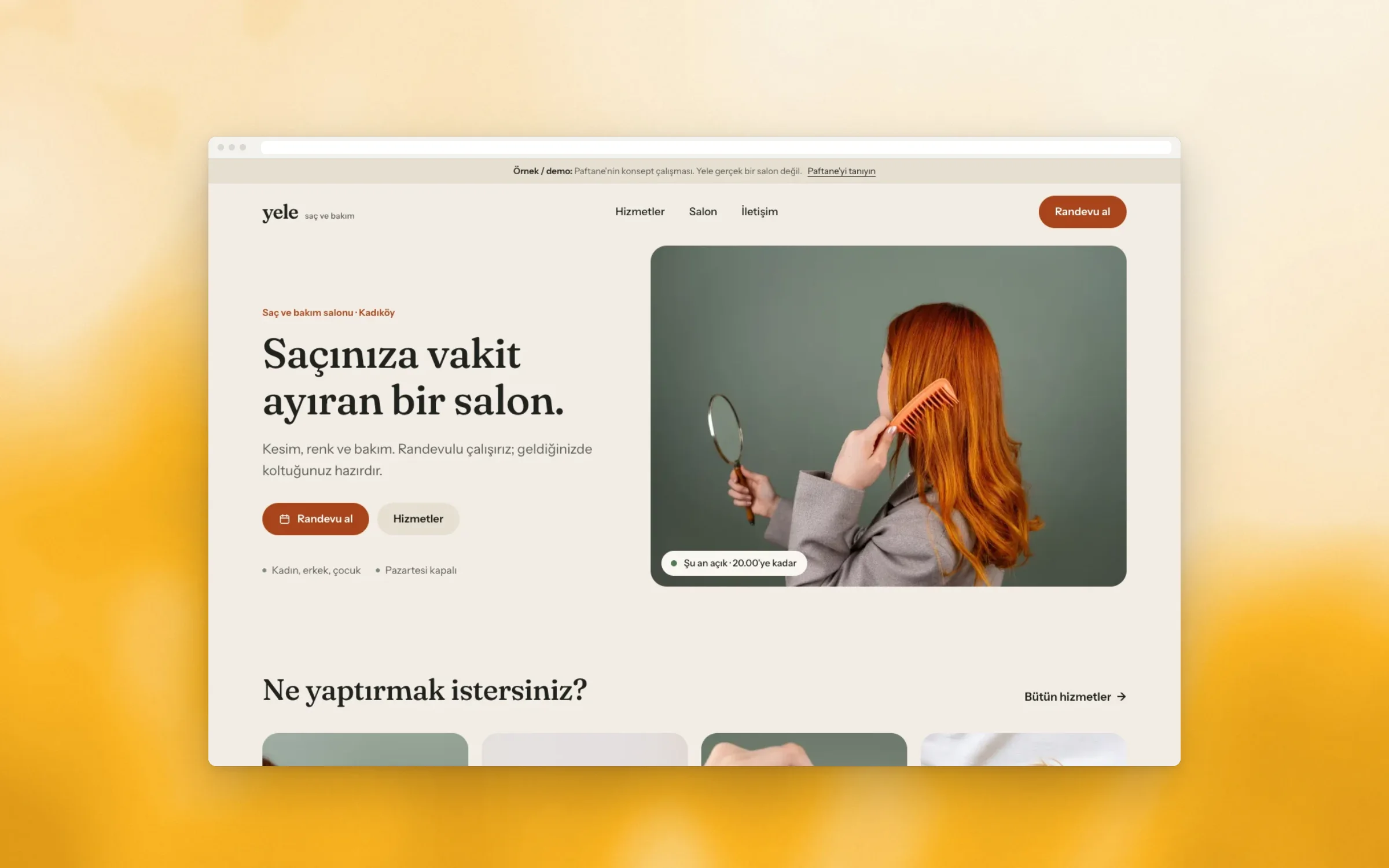
Yele is a salon we imagined for this example: a small, appointment-only hair and care salon in a busy neighbourhood. Its customers rarely call during the day. They think about a cut or a colour in the evening, when the salon is closed and nobody answers.
The brief was short. Show every service with its time and a starting figure, let people book a free slot in a few taps, and answer the usual questions before they are asked. No app to download and no account to open.
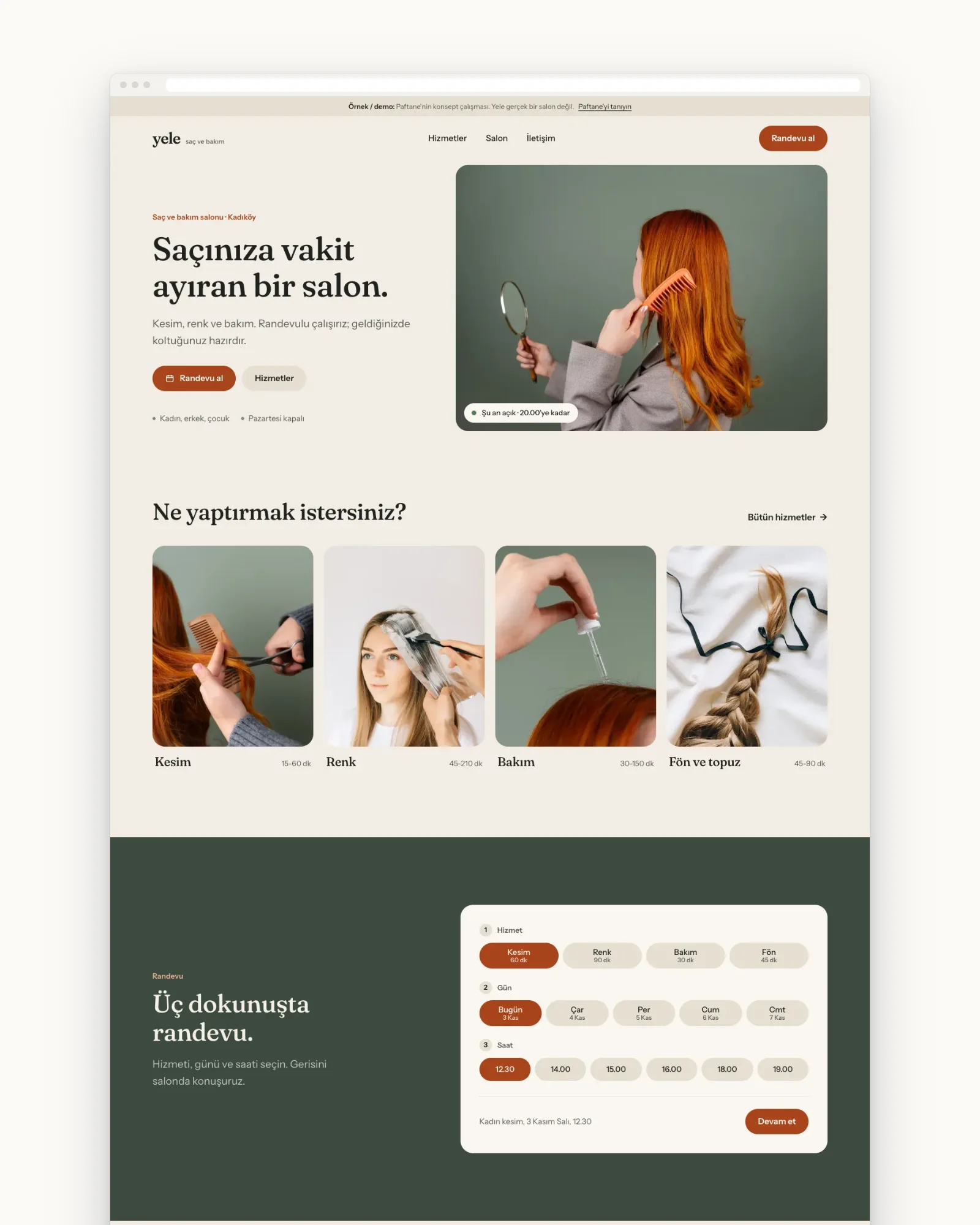
Five pages, one goal: a booking without a phone call.
/02 The first sheet
The sheet named one reader: someone nearby who wants a cut, a colour or a blow-dry and would rather not call. The goal line followed from that: a request with a service, a day and a time, ready for the salon to confirm.
Five pages were enough: Home, Services, Salon, Booking and Contact. Seventeen services in four kinds, each with its own time. Opening hours sit on the sheet too, because the booking calendar and the live open or closed sign both read them.
PF-33 · Approved
- Type
- Website: a salon with online booking
- Who it’s for
- People nearby who want a cut, a colour or a blow-dry and would rather not call
- Goal
- A booking request with a service, a day and a time, without a phone call
- Pages
- Home, Services, Salon, Booking, Contact
- Features
- 17 services with times and example starting figures, three-tap booking, a two-week calendar, live open or closed sign
- Languages
- The local language
- Timeline
- 2 weeks
Linen, sage and copper, taken from the photographs.
/03 The look
The colours come from one photo series: a sage wall, copper hair and a wooden comb. Linen is the ground, sage holds the dark sections and the footer, and copper marks the button and the chosen option. Nothing on the page competes with the hair.
Fraunces sets the headings with a soft serif warmth, and Instrument Sans carries the lists and the forms. Corners stay round and calm, sections part by tone rather than lines or shadows, and the headings keep to a quiet size.
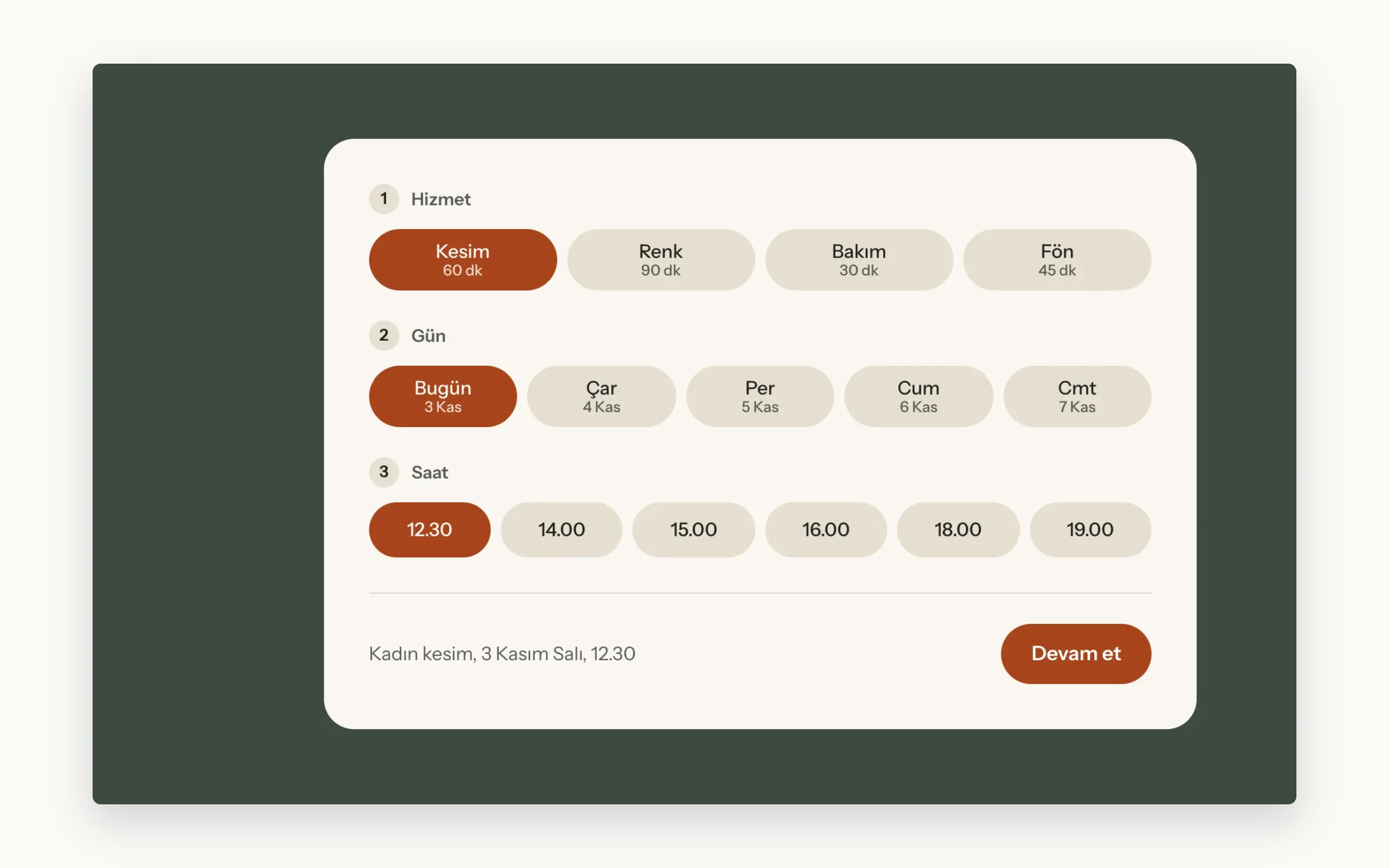
Every service shows its time, and a booking starts there.
/04 The pages
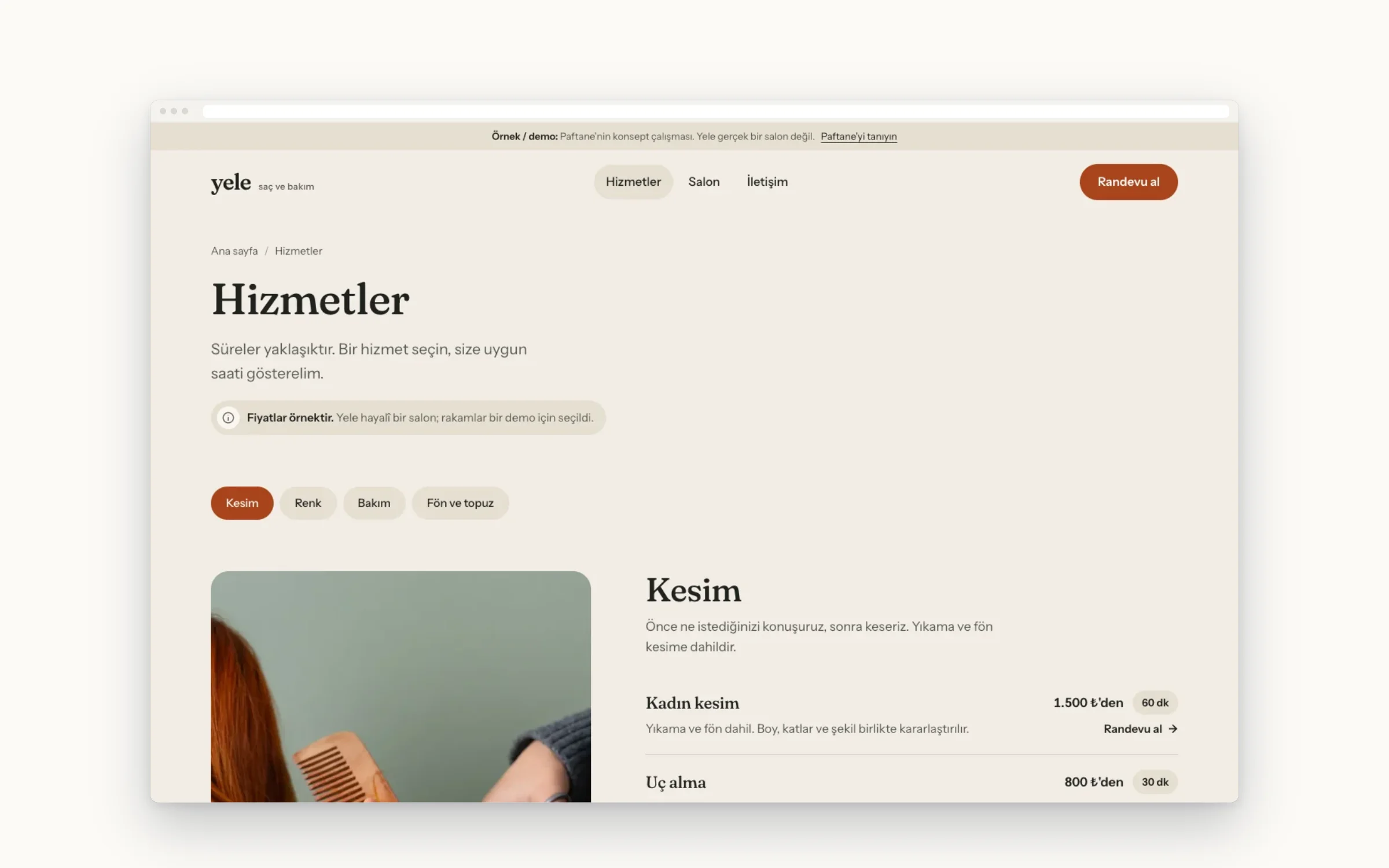
The Services page lists every service with its duration and a starting figure, and says plainly that the figures are examples. A sticky filter follows you down the four kinds. Each row opens the booking page with that service already chosen.
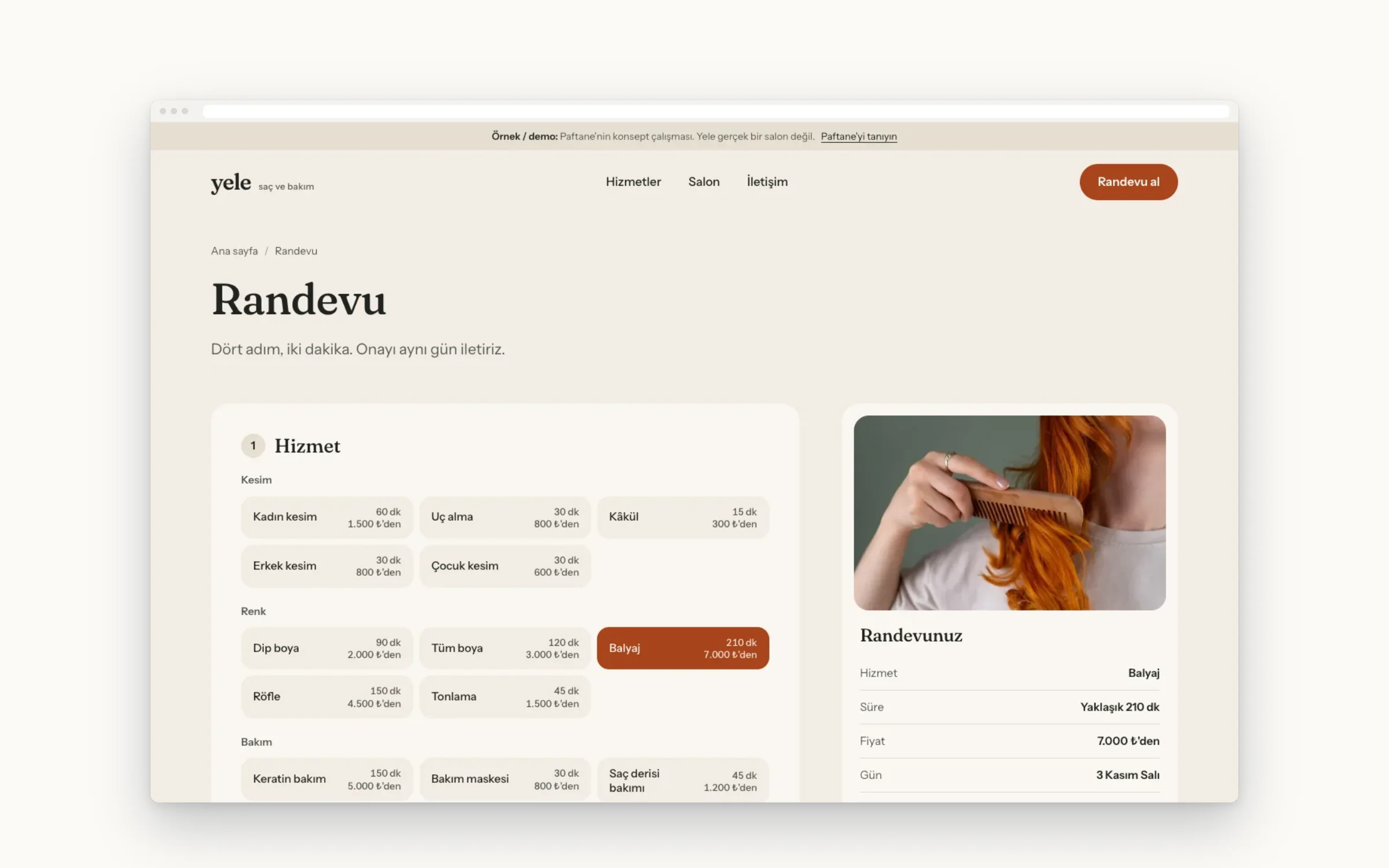
The booking page has four steps: service, day, time and details. The calendar covers two weeks and keeps Monday closed. Times follow the length of the service, so a long colour never lands at closing time. A summary stays beside the form.
On the phone, booking is three taps from the home page.
/05 On the phone
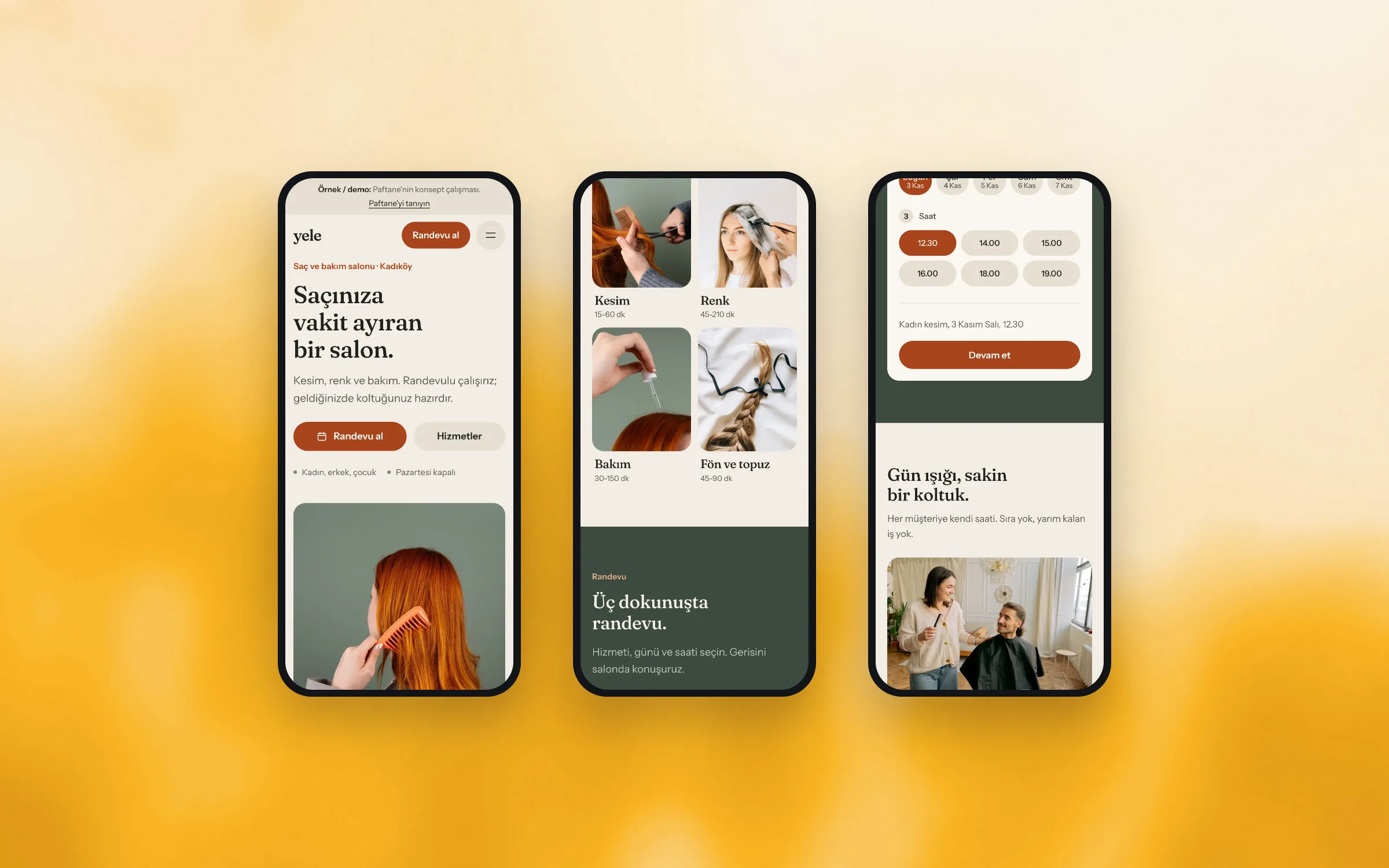
Most visits start on a phone. The home page has a small booking panel: pick a service, a day and a time, and the choice carries over to the booking page. On the phone the summary shrinks to one line above the send button.
A bar along the bottom shows whether the salon is open now, by the local clock, next to a booking button. It steps aside while the buttons at the top are on screen, so the same call never shows twice.
Drawn and built as a working five-page example.
/06 What was drawn
Yele is drawn and built as a working example: five pages, a booking flow you can click through, a confirmation screen and a calendar file that adds the appointment to your phone. Every page carries the demo tag at the top and the bottom.
The forms send nothing anywhere, and the salon has no address, phone number, reviews or ratings. The hours and the district are sample content. The starting figures on the Services page are examples too, and the page says so.
- Five pages
- Seventeen services with times and example starting figures
- Three-tap booking on the home page
- Four-step booking with a two-week calendar
- Live open or closed sign by the local clock
- Add-to-calendar file after booking
- Common questions and a short privacy notice
Light pages that open quickly on mobile data.
/07 Performance & access
Every photograph comes in several sizes, and the browser picks the one the screen needs. The first image on each page loads first and the rest wait until you scroll. Two fonts, trimmed to the letters the site uses, and very little script.
Before handing it over we checked that text stays readable at double zoom, that every form field has a label and a clear error message, and that the booking steps work with a keyboard alone, from the first choice to the last.
- Every image under 200 KB
Drawn and built by Paftane: Strategy, Design, Build, Booking.